
@gtkx/react / GtkDrawingArea
Variable: GtkDrawingArea
constGtkDrawingArea:"GtkDrawingArea"
Defined in: packages/react/src/generated/jsx.ts:12403
Allows drawing with cairo.
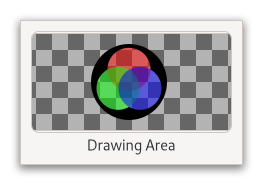
It’s essentially a blank widget; you can draw on it. After creating a drawing area, the application may want to connect to:
The
Gtk.Widget.:realizesignal to take any necessary actions when the widget is instantiated on a particular display. (Create GDK resources in response to this signal.)The
Gtk.DrawingArea.:resizesignal to take any necessary actions when the widget changes size.Call
Gtk.DrawingArea.set_draw_functo handle redrawing the contents of the widget.
The following code portion demonstrates using a drawing area to display a circle in the normal widget foreground color.
Simple GtkDrawingArea usage
static void
draw_function (GtkDrawingArea *area,
               cairo_t        *cr,
               int             width,
               int             height,
               gpointer        data)
{
  GdkRGBA color;

  cairo_arc (cr,
             width / 2.0, height / 2.0,
             MIN (width, height) / 2.0,
             0, 2 * G_PI);

  gtk_widget_get_color (GTK_WIDGET (area),
                        &color);
  gdk_cairo_set_source_rgba (cr, &color);

  cairo_fill (cr);
}

int
main (int argc, char **argv)
{
  gtk_init ();

  GtkWidget *area = gtk_drawing_area_new ();
  gtk_drawing_area_set_content_width (GTK_DRAWING_AREA (area), 100);
  gtk_drawing_area_set_content_height (GTK_DRAWING_AREA (area), 100);
  gtk_drawing_area_set_draw_func (GTK_DRAWING_AREA (area),
                                  draw_function,
                                  NULL, NULL);
  return 0;
}
The draw function is normally called when a drawing area first comes onscreen, or when it’s covered by another window and then uncovered. You can also force a redraw by adding to the “damage region” of the drawing area’s window using Gtk.Widget.queue_draw. This will cause the drawing area to call the draw function again.
The available routines for drawing are documented in the Cairo documentation; GDK offers additional API to integrate with Cairo, like Gdk.cairo_set_source_rgba or Gdk.cairo_set_source_pixbuf.
To receive mouse events on a drawing area, you will need to use event controllers. To receive keyboard events, you will need to set the “can-focus” property on the drawing area, and you should probably draw some user-visible indication that the drawing area is focused.
If you need more complex control over your widget, you should consider creating your own GtkWidget subclass.