---
title: "Getting Started"
description: "Install the prerequisites, create a GTKX app, and run the development loop."
---
# Getting Started
Create a Linux desktop app with React and TypeScript, then edit it while its window stays open. This guide uses the [GTKX 2.0 beta](/releases#prereleases).
## What you need
GTKX requires Linux, Node.js 26.7 or later, GTK 4.20 or later, libadwaita 1.8 or later, and GLib development files. Prebuilt GTKX binaries support x64 and arm64 Linux with glibc.
Install [Node.js](https://nodejs.org/en/download) with your preferred version manager, then check the version in the terminal you will use for development:
```bash
node --version
```
### Native libraries
Install the development packages, which supply both native libraries and the GIR files used to generate bindings:
::: code-group
```bash [Fedora 44]
sudo dnf install gtk4-devel libadwaita-devel glib2-devel \
gobject-introspection-devel pkgconf-pkg-config
```
```bash [Ubuntu 26.04]
sudo apt install libgtk-4-dev libadwaita-1-dev libglib2.0-dev \
libgirepository1.0-dev pkgconf
```
```bash [Arch Linux]
sudo pacman -S --needed gtk4 libadwaita glib2 gobject-introspection pkgconf
```
:::
Check the installed versions:
```bash
pkg-config --modversion gtk4 libadwaita-1 glib-2.0
```
Other distributions need equivalent development packages; [GTK's Linux installation guide](https://www.gtk.org/docs/installations/linux) lists their names. A runtime-only package is insufficient for code generation.
::: tip Older distributions
Debian 13 and Ubuntu 24.04 ship GTK and libadwaita releases older than the minimums. Run the Fedora command inside a [Toolbx](https://containertoolbx.org/) or [Distrobox](https://distrobox.it/) container, which shares your desktop session with the app.
:::
Run the app from a graphical desktop session. In a development container, the container also needs access to the session's display and D-Bus; installing libraries alone does not provide that connection.
## Scaffolding a new app
::: code-group
```bash [pnpm]
pnpm create gtkx@beta
```
```bash [npm]
npm create gtkx@beta
```
```bash [yarn]
yarn create gtkx@beta
```
:::
The scaffolder asks for a project directory, a display name, an application ID such as `com.example.MyApp`, and a package manager, then whether to use TypeScript and include the Vitest setup. It preselects the package manager that ran it and recommends pnpm. Keep TypeScript and Vitest for typed components and native widget tests.
The directory can be a path, such as `~/Projects/my-app`, and any name works. `Unit Converter` gets the display name Unit Converter; because it is not a valid package name, the scaffolder also asks for one and suggests `unit-converter`.
The `yarn` command needs Yarn 2 or later. Yarn 1 cannot run the prerelease scaffolder; with Yarn 1, start the project with npm or pnpm and choose Yarn as the package manager. Yarn projects get `nodeLinker: node-modules` in `.yarnrc.yml`, because GTKX generates its bindings into `node_modules` and does not support Plug'n'Play.
Start the app:
```bash
cd my-app
npm run dev
```
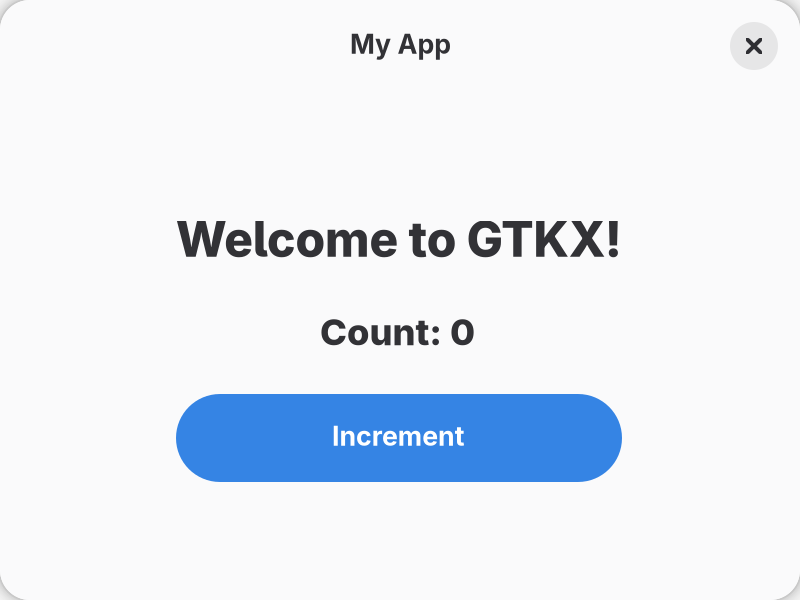
The starter uses an Adwaita application window with a counter. Click the button to increase the count. Change its label in `src/app.tsx` and save; the open window should update.
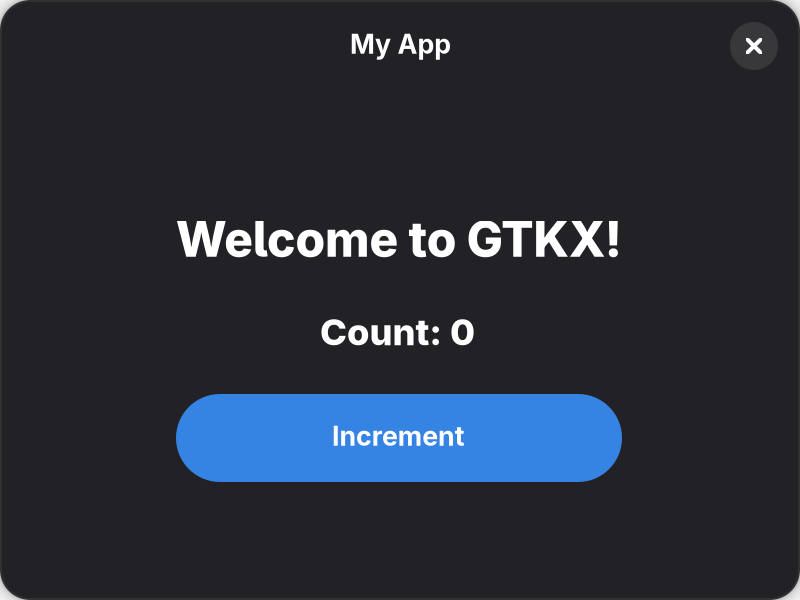
The starter window, captured from the src/app.tsx below with the display name My App.
::: details The starter `src/app.tsx`
```tsx [src/app.tsx]
import * as Gtk from "@gtkx/gi/gtk";
import {
AdwApplication,
AdwApplicationWindow,
AdwHeaderBar,
AdwToolbarView,
} from "@gtkx/jsx/adw";
import { GtkBox, GtkButton, GtkLabel } from "@gtkx/jsx/gtk";
import { quit } from "@gtkx/react";
import { useState } from "react";
const MainWindow = () => {
const [count, setCount] = useState(0);
return (
}>
Welcome to GTKX!
Count: {count} setCount((c) => c + 1)}
cssClasses={["suggested-action", "pill"]}
/>
);
};
export const App = () => (
);
export default App;
```
:::
For noninteractive creation and existing directories, see [Scaffold Options](/v2/guide/scaffold-options).
The [tutorial](/v2/tutorial/) follows development on `main` and may use APIs added after the published beta. Check its version prerequisites before continuing beyond this starter.
## The dev loop
`npm run dev` runs `gtkx dev`, which opens the app and watches your source files. Fast Refresh applies most edits to the open window and keeps its state; some edits [restart the app](/v2/guide/troubleshooting#the-app-restarts-instead-of-refreshing) instead.
| Command | Result |
| ---------------- | ------------------------------------------------------------------- |
| `npm run dev` | Run the app and watch source files |
| `npm run build` | Bundle the app into `dist/bundle.mjs` |
| `npm start` | Run that production bundle with Node.js |
| `npm run deploy` | Build a distributable package; see [Deploying](/v2/guide/deploying) |
With pnpm, run the last one as `pnpm run deploy`, because `pnpm deploy` is pnpm's built-in command.
The production bundle still needs the native runtime libraries. Packaging can supply a Node.js runtime and desktop integration files.
## Project structure
```text
my-app/
├─ gtkx.config.ts
├─ package.json
├─ tsconfig.json
├─ vitest.config.ts
├─ data/
│ └─ icons/
├─ src/
│ ├─ index.tsx
│ ├─ app.tsx
│ └─ gtkx-env.d.ts
└─ tests/
└─ app.test.tsx
```
`gtkx.config.ts` holds the application ID, the icon directory and packaging metadata; [Configuration and Codegen](/v2/guide/configuration-and-codegen) covers its other options. `data/icons/` holds the app icon. The component lives in `src/app.tsx`; `src/index.tsx` renders it. Without TypeScript, the source files end in `.jsx` and `.js` and there is no `tsconfig.json` or `src/gtkx-env.d.ts`; without Vitest, there is no `vitest.config.ts` or `tests/`.
## The entry point: `src/index.tsx`
Create a React root and render your application. GTKX supplies the native root container, so `createRoot()` takes no DOM element:
```tsx
import { createRoot } from "@gtkx/react";
import { App } from "./app.js";
createRoot().render();
```
The starter's `` gets its application ID from `gtkx.config.ts`. [The application element](/v2/guide/application-lifecycle#the-application-element) explains the application, its windows and when the app ends.
## Updating GTKX
Run `npx gtkx upgrade` to move every GTKX package in the project to the newest release on the dist-tag it follows. [Updating GTKX](/v2/guide/updating) describes what it changes.
## Troubleshooting
[Troubleshooting](/v2/guide/troubleshooting) covers missing GIR files, display connections, release-age gates, and edits that restart the app.
## Next
- [Tutorial](/v2/tutorial/): build Notes, a Markdown notes app with file watching, search, tests, and packaging.
- [JSX Elements](/v2/guide/jsx-elements): how elements map props, signals and child slots to the native API.
- [Examples](https://github.com/gtkx-org/gtkx/tree/main/examples): complete apps, from Hello World to the GTK and Adwaita demos, run from the GTKX repository.
- [Discussions](https://github.com/gtkx-org/gtkx/discussions): ask questions and share what you build.