

Save and Watch Files
Write edits back to their files without blocking typing, and show notes that another editor or a sync tool adds, changes or removes while the app runs.
Save edits
Writing the file on every keystroke would save once per character, and two writes of the same file could finish out of order. A NoteSaver, in a new file src/notes/note-saver.ts, waits until typing pauses, then writes the note's newest text:
import { writeNote } from "./files.js";

const SAVE_DELAY_MS = 400;

type PendingSave = { text: string; timer: NodeJS.Timeout };

class NoteSaver {
    readonly #folder: string;
    readonly #onError: (name: string, error: unknown) => void;
    readonly #failing = new Set<string>();
    readonly #pending = new Map<string, PendingSave>();
    readonly #written = new Map<string, string>();
    readonly #writes = new Map<string, Promise<void>>();

    constructor(
        folder: string,
        onError: (name: string, error: unknown) => void,
    ) {
        this.#folder = folder;
        this.#onError = onError;
    }

    schedule(name: string, text: string): void {
        clearTimeout(this.#pending.get(name)?.timer);
        this.#pending.set(name, {
            text,
            timer: setTimeout(() => this.#flush(name), SAVE_DELAY_MS),
        });
    }

    flushAll(): void {
        for (const name of [...this.#pending.keys()]) {
            this.#flush(name);
        }
    }

    isPending(name: string): boolean {
        return this.#pending.has(name);
    }

    isOwnWrite(name: string, text: string): boolean {
        return this.#written.get(name) === text;
    }

    #flush(name: string): void {
        const entry = this.#pending.get(name);
        if (entry === undefined) {
            return;
        }
        clearTimeout(entry.timer);
        this.#pending.delete(name);
        this.#written.set(name, entry.text);
        const previous = this.#writes.get(name) ?? Promise.resolve();
        const write = previous.then(() => this.#write(name, entry.text));
        this.#writes.set(name, write);
    }

    async #write(name: string, text: string): Promise<void> {
        try {
            await writeNote(this.#folder, name, text);
            this.#failing.delete(name);
        } catch (error) {
            this.#written.delete(name);
            if (!this.#failing.has(name)) {
                this.#failing.add(name);
                this.#onError(name, error);
            }
        }
    }
}

export { NoteSaver };schedulerestarts the note's timer with the new text, so a burst of typing becomes one write, 400 milliseconds after the last change.#flushqueues each write behind the note's previous one, so saves of one note never overlap and the last text wins. Different notes save independently.#writtenrecords the text of each note's latest write as soon as the write is queued, andisPendingtells whether a note's text is still waiting for typing to pause. The folder watcher below uses both.- A failed write calls
onErroronce. The saver stays quiet about that note until one of its saves succeeds, so a full disk doesn't report every keystroke. flushAllstarts every waiting write at once, for when the provider stops watching the folder.
files.ts gains writeNote, and readNote returns null for a file that no longer exists, which is how the watcher learns that a note was deleted:
import * as GLib from "@gtkx/gi/glib";
import { mkdir, readdir, readFile, stat, writeFile } from "node:fs/promises";
import { join } from "node:path";
import { type Note, toNote } from "./note.js";
const EXTENSION = ".md";
const defaultFolder = (): string =>
join(
GLib.getUserSpecialDir(GLib.UserDirectory.DIRECTORY_DOCUMENTS) ??
GLib.getHomeDir(),
"Notes",
);
const noteName = (fileName: string): string | null =>
fileName.endsWith(EXTENSION) && !fileName.startsWith(".")
? fileName.slice(0, -EXTENSION.length)
: null;
const notePath = (folder: string, name: string): string =>
join(folder, `${name}${EXTENSION}`);
The editor reports each change to its buffer:
import * as Adw from "@gtkx/gi/adw";
import * as Gtk from "@gtkx/gi/gtk";
import * as GtkSource from "@gtkx/gi/gtksource";
import { useTranslation } from "@gtkx/i18n";
import { GtkScrolledWindow } from "@gtkx/jsx/gtk";
import { GtkSourceBuffer, GtkSourceView } from "@gtkx/jsx/gtksource";
import { useProperty } from "@gtkx/react";
const markdown = GtkSource.LanguageManager.getDefault().getLanguage("markdown");
type NoteEditorProps = { text: string; onChange: (text: string) => void };
onChanged handles the buffer's changed signal, and getText reads the buffer from its start to its end. The text prop still fills the buffer: GTKX writes it only when it differs from the buffer's text, so typing never resets the cursor, and writing it doesn't call onChanged; see The JSX prop model.
The note screen passes each change to the provider's edit:
import { useTranslation } from "@gtkx/i18n";
import { AdwStatusPage } from "@gtkx/jsx/adw";
import type { SplitViewScreenProps } from "@gtkx/navigation";
import { NoteEditor } from "../editor/note-editor.js";
import type { RootParamList } from "../navigation.js";
import { useNotes } from "../notes/notes-provider.js";

const NoteScreen = ({ route }: SplitViewScreenProps<RootParamList, "Note">) => {
    const { t } = useTranslation();
    const { notes, edit } = useNotes();
    const { name } = route.params;
    const note = notes?.get(name);

    if (note === undefined) {
        return (
            <AdwStatusPage
                iconName="edit-find-symbolic"
                title={t("Note Not Found")}
            />
        );
    }

    return (
        <NoteEditor
            key={name}
            text={note.text}
            onChange={(text) => edit(name, text)}
        />
    );
};

export { NoteScreen };
Watch the folder
The provider owns the saver, edits the notes in memory, and watches the folder for changes made by other programs:
import { useToast } from "@gtkx/components";
import { t } from "@gtkx/i18n";
import { watch } from "node:fs";
import { createContext, type ReactNode, use, useEffect, useState } from "react";
import { noteName, readNote, readNotes } from "./files.js";
import { type Note, toNote } from "./note.js";
import { NoteSaver } from "./note-saver.js";
type NoteMap = ReadonlyMap<string, Note>;
type NotesValue = {
folder: string;
notes: NoteMap | null;
edit: (name: string, text: string) => void;
};
const NotesContext = createContext<NotesValue | null>(null);
const withNote = (
notes: NoteMap | null,
name: string,
note: Note | null,
): NoteMap => {
const next = new Map(notes);
if (note === null) {
next.delete(name);
} else {
next.set(name, note);
}
editschedules the save and updates the note at once, with the current time as its modification time. The list shows the new excerpt, and the edited note moves to the top.useStatewith an initializer creates one saver when the provider mounts and keeps it across renders.fs.watchcalls its listener with the name of each file that changes in the folder. The listener ignores the kind of event and rereads the file: a note that now exists is added or replaced, and one that doesn't is removed.noteNameskips everything but visible.mdfiles, such as the hidden temporary files some editors save through. Node doesn't promise a file name on every event (Filename argument), so the listener skips anullone.refreshleaves a note alone while it has a pending save, because the editor's text is newer than the file, and when the file holds the text the app last wrote, because the event reports the app's own save. Any other change came from another program, and the open editor shows it.- The watcher takes the effect's abort signal, so the cleanup closes it, and a read that finishes afterwards sets no state. The cleanup also flushes pending saves. When the window closes, the app writes the last edits, and the Node process exits once they finish; an open watcher would keep it running. See Ending work on unmount.
Report a failed save
A toast from @gtkx/components names a note that couldn't be saved; Toasts covers the provider and useToast. The window shares an AdwToastOverlay through ToastProvider, outside NotesProvider so the provider can call useToast. The overlay wraps the navigator, so the toast shows over both panes:
import { ToastProvider } from "@gtkx/components";
import type * as Adw from "@gtkx/gi/adw";
import { useTranslation } from "@gtkx/i18n";
import {
    AdwApplication,
    AdwApplicationWindow,
    AdwStatusPage,
    AdwToastOverlay,
} from "@gtkx/jsx/adw";
import { NavigationContainer } from "@gtkx/navigation";
import { quit } from "@gtkx/react";
import { useRef } from "react";
import { NoteScreen } from "./components/note-screen.js";
import { NotesScreen } from "./components/notes-screen.js";
import { Split } from "./navigation.js";
import { defaultFolder } from "./notes/files.js";
import { NotesProvider } from "./notes/notes-provider.js";

function App() {
    const { t } = useTranslation();
    const toastOverlayRef = useRef<Adw.ToastOverlay | null>(null);

    return (
        <AdwApplication>
            <AdwApplicationWindow
                title={t("Notes")}
                defaultWidth={720}
                defaultHeight={480}
                widthRequest={360}
                heightRequest={294}
                onCloseRequest={() => quit()}
            >
                <ToastProvider overlayRef={toastOverlayRef}>
                    <NotesProvider folder={defaultFolder()}>
                        <AdwToastOverlay ref={toastOverlayRef}>
                            <NavigationContainer>
                                <Split.Navigator
                                    contentPlaceholder={
                                        <AdwStatusPage
                                            iconName="document-edit-symbolic"
                                            title={t("No Note Selected")}
                                        />
                                    }
                                >
                                    <Split.Screen
                                        name="Notes"
                                        component={NotesScreen}
                                        options={{ title: t("Notes") }}
                                    />
                                    <Split.Screen
                                        name="Note"
                                        component={NoteScreen}
                                        options={({ route }) => ({
                                            title: route.params.name,
                                        })}
                                    />
                                </Split.Navigator>
                            </NavigationContainer>
                        </AdwToastOverlay>
                    </NotesProvider>
                </ToastProvider>
            </AdwApplicationWindow>
        </AdwApplication>
    );
}

export { App };
In the provider's onError:
timeout: 0keeps the toast until the user dismisses it (timeout), so the message isn't missed while typing.useMarkup: falseshows the title as written. Adwaita reads toast titles as Pango markup by default, and a note's name can contain&or<.- The saver keeps the callback it was created with, so the message uses
timported from@gtkx/i18n, which translates into the current language whenever it runs, rather than thetof one render.{{name}}inserts the note's name; see Internationalization.
Run it
Save the files. The new imports restart the app. Open a note and type: about half a second after the last keystroke, its file in the notes folder holds the new text, and the note moves to the top of the list.
Add, change or delete a .md file in the folder from another program, and the list follows. Changing the open note's file updates the editor, and deleting it shows Note Not Found.
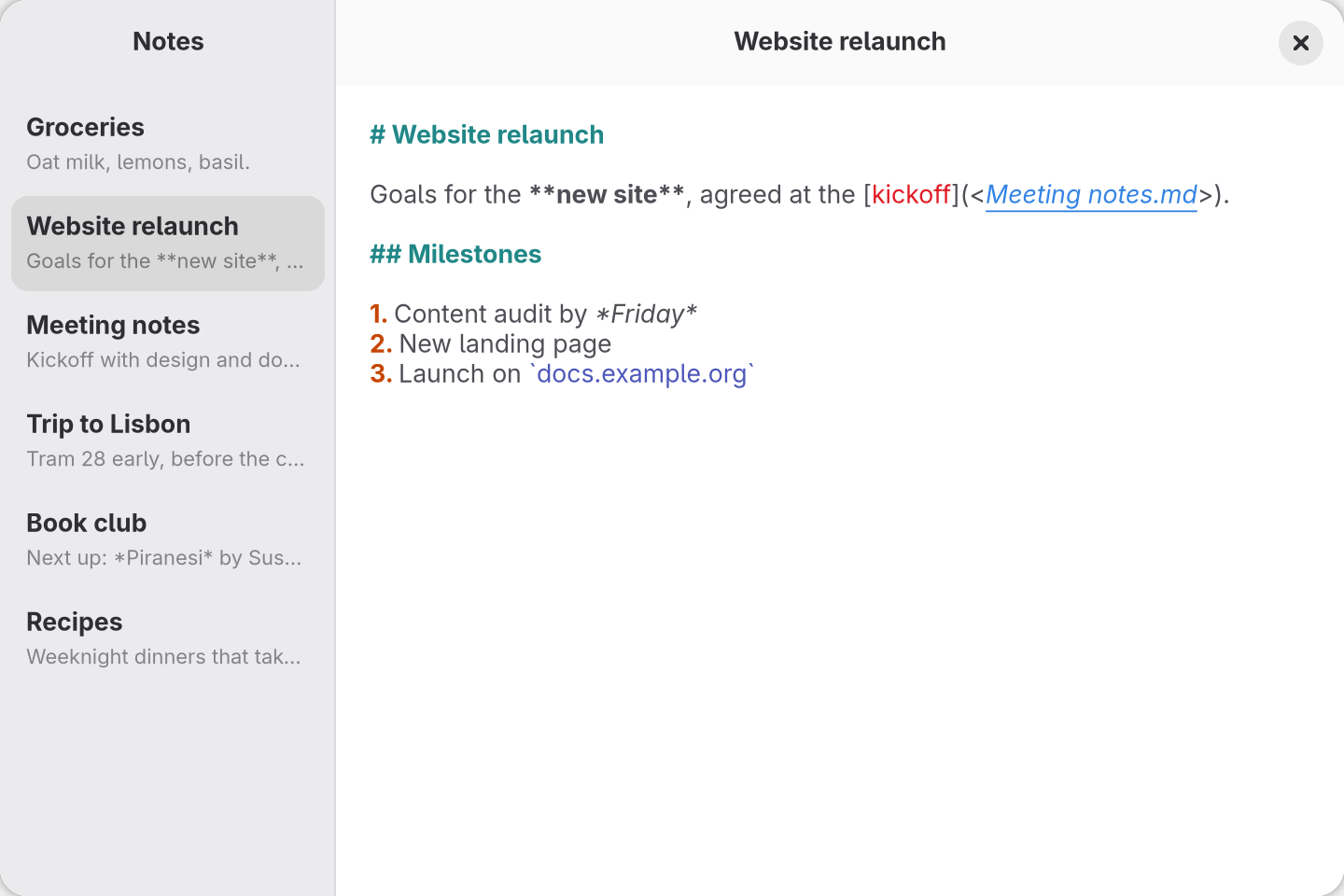
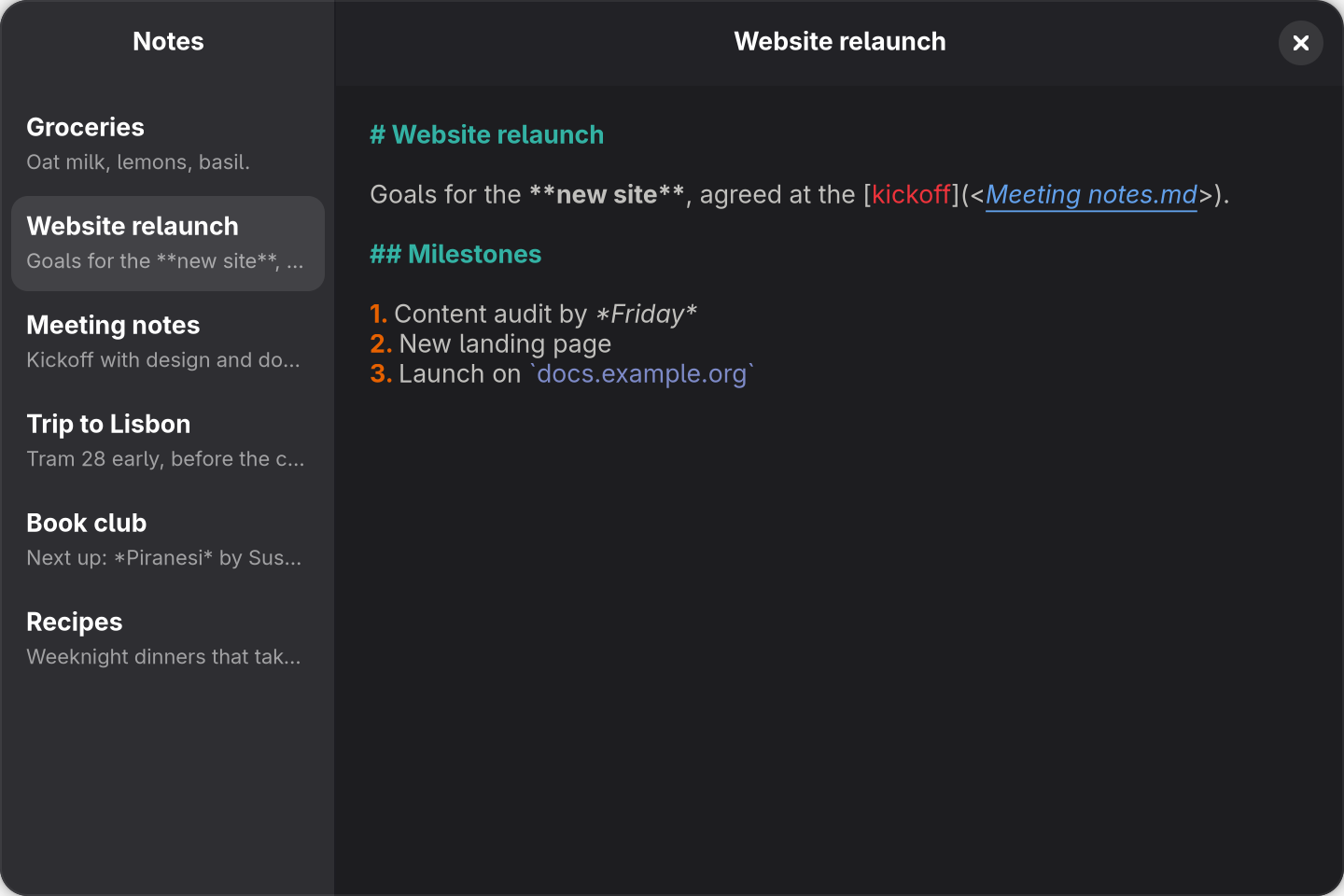
src/app.tsx above, after opening Website relaunch and writing Groceries.md into the notes folder from outside the app.