

Develop the Preview in Storybook
Render the Markdown preview on its own, with one story for each kind of Markdown, and change how it renders without opening a note in the app.
The preview shows whatever the open note holds, so checking a nested list or a heading level in the app means first writing a note that has one. A story fixes that input instead: it renders MarkdownPreview with Markdown of its own. @gtkx/storybook shows the stories in a native explorer window; Storybook covers it in full.
Set up Storybook
Install the explorer as a development dependency:
npm install -D @gtkx/storybook@betaAdd a script that starts it to package.json:
{
    "scripts": {
        "dev": "gtkx dev",
        "storybook": "gtkx storybook"
    }
}
.storybook/main.ts tells the explorer where the stories are, as patterns relative to the project root:
import { defineConfig } from "@gtkx/storybook/config";

export default defineConfig({
    stories: ["src/**/*.stories.tsx"],
});
Write stories
A stories file sits next to the component it renders and follows Storybook's Component Story Format. Its default export, the metadata, names the component and the arguments every story starts from. Each named export is a story that overrides some of them. Create src/preview/markdown-preview.stories.tsx:
import type { Meta, StoryObj } from "@gtkx/storybook";
import { MarkdownPreview } from "./markdown-preview.js";

const meta = {
    title: "Preview/Markdown",
    component: MarkdownPreview,
    args: {
        text: "",
        tags: [],
        onActivateLink: () => true,
    },
    argTypes: {
        onActivateLink: { action: "activate-link" },
    },
} satisfies Meta<typeof MarkdownPreview>;

type Story = StoryObj<typeof meta>;

const Headings = {
    args: {
        text: "# Heading 1\n\n## Heading 2\n\n### Heading 3\n\n#### Heading 4\n\n##### Heading 5\n\n###### Heading 6\n",
    },
} satisfies Story;

const Formatting = {
    args: {
        text: "Text can be **bold**, *italic* or `inline code`.",
    },
    argTypes: {
        text: { control: "text" },
    },
} satisfies Story;

const Links = {
    args: {
        text: "[Reading list](<Reading list.md>) links to another note.\n\n[GTKX](https://gtkx.dev) links to a website.\n",
    },
} satisfies Story;

const Lists = {
    args: {
        text: [
            "- Oat milk",
            "- Coffee beans",
            "  - Whole, not ground",
            "- Lemons",
            "",
            "1. Preheat the oven",
            "2. Mix the dough",
            "3. Bake for 20 minutes",
        ].join("\n"),
    },
} satisfies Story;

const Blocks = {
    args: {
        text: [
            "> Simplicity is prerequisite for reliability.",
            ">",
            "> Edsger W. Dijkstra",
            "",
            "```ts",
            'const greeting = "Hello";',
            "console.log(greeting);",
            "```",
            "",
            "---",
            "",
            "After the rule.",
        ].join("\n"),
    },
} satisfies Story;

const Tagged = {
    args: {
        text: "# Ideas\n\nA notes app over **plain files**.\n",
        tags: ["work", "ideas"],
    },
} satisfies Story;

export default meta;
export { Blocks, Formatting, Headings, Links, Lists, Tagged };titlegroups the stories under Preview/Markdown in the explorer's sidebar.argsgivesMarkdownPreviewempty Markdown, no tags and a link handler. Each story setstextto the Markdown it shows, and Tagged also setstags.- The explorer shows a control only for an argument whose
argTypesentry declares one. Formatting declares a text control fortext. A text control is a one-line entry, so the other stories, whose Markdown spans several lines, have none. action: "activate-link"lists each call toonActivateLinkunder Actions, with the link's target, and still calls the handler fromargs. That handler returnstrue, which tells the label the link is handled (see Follow links), so GTK doesn't try to open it.
The stories import MarkdownPreview rather than define it, because Fast Refresh updates a component only when it lives in its own module. Test the App renders the same stories in its tests.
Run Storybook
npm run storybookThe explorer lists the stories in its sidebar. Selecting one shows the preview beside the story's Controls and Actions. Its application ID is the app's with a .Storybook suffix, dev.gtkx.Notes.Storybook. Under the app's own ID, a second launch would only activate the running app (see The application element), so the explorer runs beside npm run dev.
Run it
Select Formatting and edit its text control: the preview renders each change as you type. Select Links and click a link: Actions lists activate-link with the link's target.
Keep the explorer open, change src/preview/markdown-preview.tsx and save it: the story updates in place, as the app does with Fast Refresh.
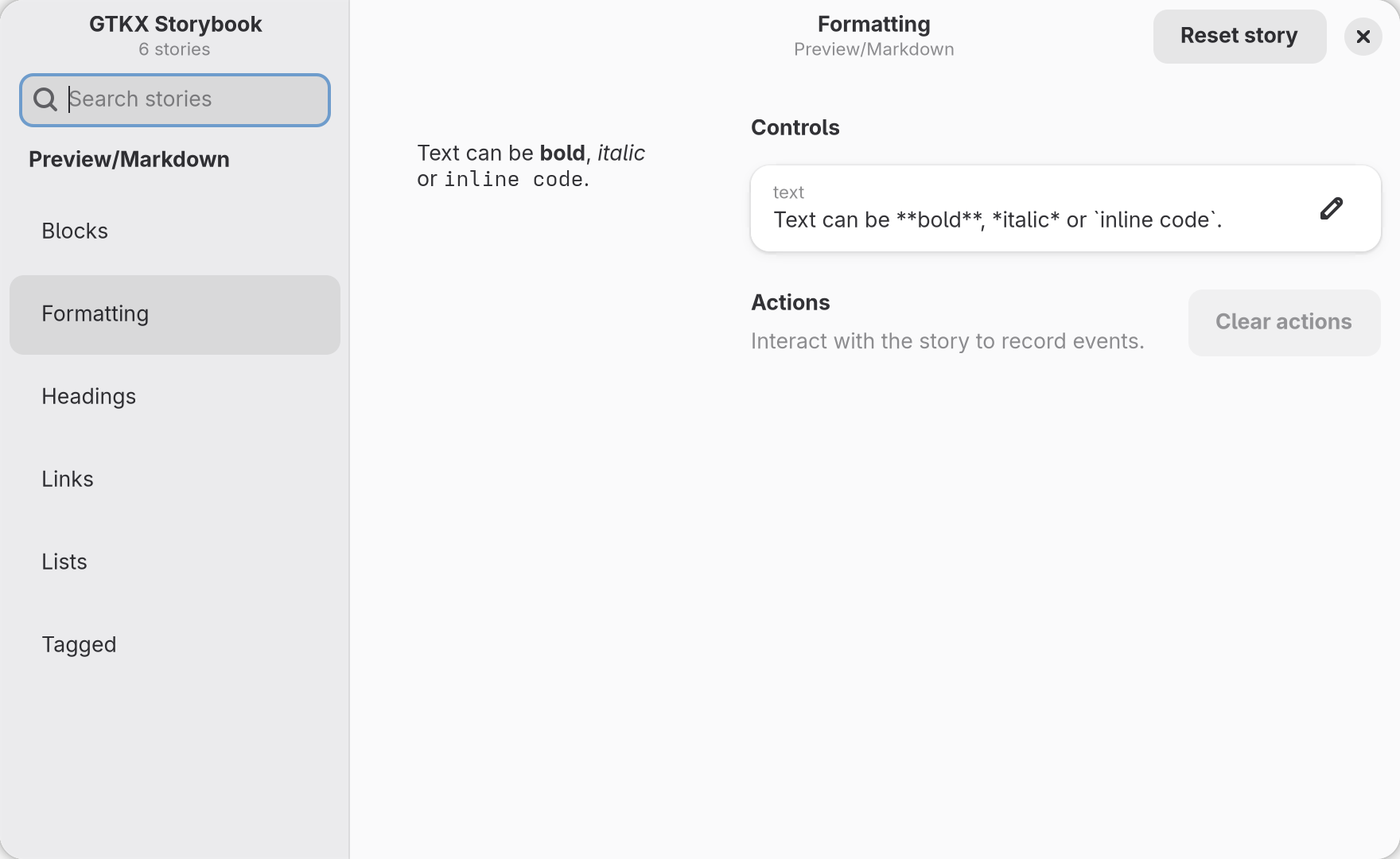
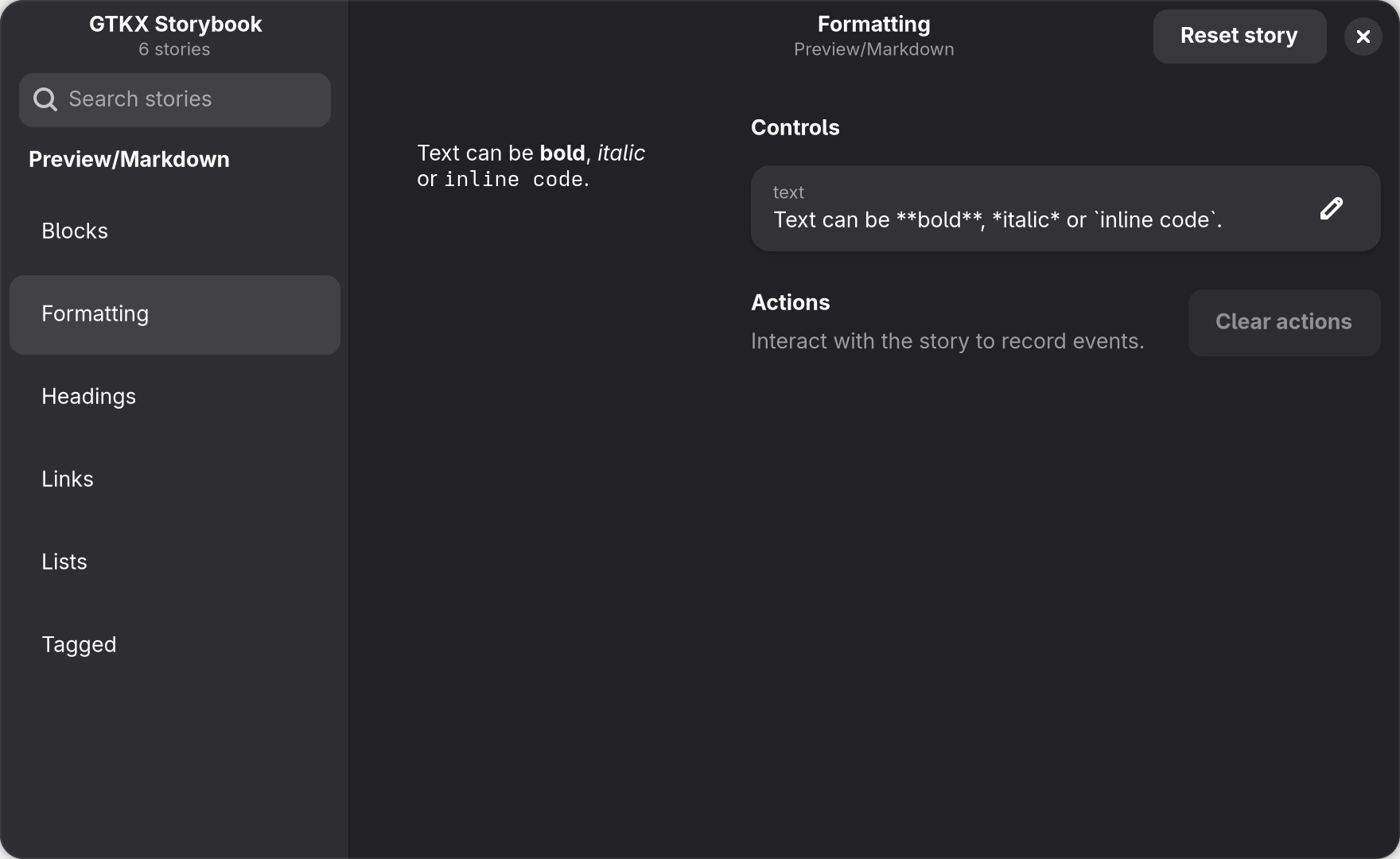
src/preview/markdown-preview.stories.tsx above, with the Formatting story selected.