

Search in a Worker
Index the full text of every note with MiniSearch in a worker thread, so searching never blocks the window.
Build the index in a worker
Your JavaScript runs on the same thread as GTK's main loop, so while it computes, the window can't redraw or take input. Indexing a few notes takes no time, but a folder of several thousand would freeze the window until indexing finished. MiniSearch builds a full-text index in memory, and a Node worker thread runs it beside the main thread. Install it; it ships its own types:
npm install minisearchThe worker, in a new file src/search/search-worker.ts, holds the index and answers messages from the main thread:
import MiniSearch from "minisearch";
import { parentPort } from "node:worker_threads";

type IndexedNote = { name: string; text: string };

type SearchRequest =
    | { type: "update"; notes: IndexedNote[]; removed: string[] }
    | { type: "search"; id: number; query: string };

type SearchResponse = { id: number; names: string[] };

if (parentPort === null) {
    throw new Error("search-worker must run in a worker thread");
}
const port = parentPort;

const index = new MiniSearch<IndexedNote>({
    idField: "name",
    fields: ["name", "text"],
    searchOptions: { prefix: true, fuzzy: 0.2 },
});

port.on("message", (request: SearchRequest) => {
    switch (request.type) {
        case "update":
            for (const name of [
                ...request.removed,
                ...request.notes.map((note) => note.name),
            ]) {
                if (index.has(name)) {
                    index.discard(name);
                }
            }
            index.addAll(request.notes);
            break;
        case "search": {
            const names = index
                .search(request.query)
                .map((result) => String(result.id));
            port.postMessage({
                id: request.id,
                names,
            } satisfies SearchResponse);
            break;
        }
    }
});

export type { SearchRequest, SearchResponse };- An
updatemessage carries the notes that changed and the names of those that were removed. MiniSearch rejects a second document with the same ID, so the worker first drops the old version of each note withdiscard, which needs only the ID, and then adds the new ones. - A
searchmessage carries anid, and the answer sends it back with the matching note names, so the main thread can tell which query an answer belongs to. idField: "name"makes the note name the document ID; names are unique because they are file names.prefix: truelets "kick" find "kickoff", andfuzzy: 0.2allows an edit distance of a fifth of each word's length, rounded, so "kikoff" finds it too. See MiniSearch's search options.parentPortisnulloutside a worker, so importing the file on the main thread by mistake fails at once.
A worker can't use GTK, since only the main thread owns GTKX's GLib integration; this one needs only MiniSearch and Node. Workers and Helper Processes explains how gtkx dev, Vitest and gtkx build load a worker file and which syntax it can use.
Talk to the worker
SearchIndex, in src/search/search-index.ts, is the main thread's side of the conversation:
import { Worker } from "node:worker_threads";
import type { SearchRequest, SearchResponse } from "./search-worker.js";

type SearchableNote = { name: string; text: string };

class SearchIndex {
    readonly #indexed = new Map<string, string>();
    readonly #waiting = new Map<number, (names: string[]) => void>();
    #worker: Worker | null = null;
    #nextId = 0;

    update(notes: Iterable<SearchableNote>): void {
        const current = new Map(
            [...notes].map((note) => [note.name, note.text]),
        );
        const changed = [...current]
            .filter(([name, text]) => this.#indexed.get(name) !== text)
            .map(([name, text]) => ({ name, text }));
        const removed = [...this.#indexed.keys()].filter(
            (name) => !current.has(name),
        );
        if (changed.length === 0 && removed.length === 0) {
            return;
        }
        this.#indexed.clear();
        for (const [name, text] of current) {
            this.#indexed.set(name, text);
        }
        this.#post({ type: "update", notes: changed, removed });
    }

    search(query: string): Promise<string[]> {
        const id = this.#nextId++;
        const result = new Promise<string[]>((resolve) =>
            this.#waiting.set(id, resolve),
        );
        this.#post({ type: "search", id, query });

        return result;
    }

    close(): void {
        void this.#worker?.terminate();
        this.#worker = null;
        this.#indexed.clear();
        this.#waiting.clear();
    }

    #post(request: SearchRequest): void {
        this.#worker ??= this.#start();
        this.#worker.postMessage(request);
    }

    #start(): Worker {
        const worker = new Worker(
            new URL("./search-worker.ts", import.meta.url),
        );
        worker.on("message", ({ id, names }: SearchResponse) => {
            this.#waiting.get(id)?.(names);
            this.#waiting.delete(id);
        });

        return worker;
    }
}

export { SearchIndex };- The worker starts on the first message, so nothing runs until there are notes to index.
#indexedkeeps the text last sent for each note, andupdatesends only the notes whose text differs and the names that disappeared. After a save, the worker re-indexes one note rather than the folder.searchgives each query an ID and returns a promise that the answer with that ID resolves. The worker handles messages in the order they were sent, so a query always sees the update sent before it.closestops the worker and forgets what it was sent, so a laterupdatestarts a new worker and sends every note.
search-index.ts imports the message types with import type, which is removed when the file is compiled, so the main thread never loads the worker's module. gtkx build bundles the worker because new Worker names its source file directly. During gtkx dev, an edit to search-worker.ts restarts the app instead of refreshing it, since Fast Refresh only reaches the main thread.
Query from React
useNoteSearch, in src/search/use-note-search.ts, connects the index to the screen:
import { useEffect, useState } from "react";
import type { Note } from "../notes/note.js";
import { SearchIndex } from "./search-index.js";

const useNoteSearch = (
    notes: ReadonlyMap<string, Note> | null,
    query: string,
): ReadonlySet<string> | null => {
    const [index] = useState(() => new SearchIndex());
    const [result, setResult] = useState<ReadonlySet<string> | null>(null);

    useEffect(() => () => index.close(), [index]);

    useEffect(() => {
        if (notes === null) {
            return;
        }
        index.update(notes.values());
        if (query === "") {
            return;
        }
        let current = true;
        void index.search(query).then((names) => {
            if (current) {
                setResult(new Set(names));
            }
        });

        return () => {
            current = false;
        };
    }, [index, notes, query]);

    return query === "" ? null : result;
};

export { useNoteSearch };
The useState initializer creates one SearchIndex when the screen mounts, and the first effect closes it when the screen unmounts. The second effect runs whenever the notes or the query change: it updates the index, which sends nothing when no note changed, and searches if the query isn't empty. When the query changes before an answer arrives, the effect's cleanup sets current to false, so the late answer doesn't replace a newer one. The hook returns the set of matching names, or null while the query is empty, which means "show every note".
The search entry
src/components/notes-screen.tsx puts a GtkSearchEntry above the list:
import { ListView } from "@gtkx/components";
import * as Gtk from "@gtkx/gi/gtk";
import * as Pango from "@gtkx/gi/pango";
import { useTranslation } from "@gtkx/i18n";
import { AdwSpinner, AdwStatusPage } from "@gtkx/jsx/adw";
import {
GtkBox,
GtkCallbackAction,
GtkLabel,
GtkScrolledWindow,
GtkSearchEntry,
GtkShortcut,
GtkShortcutController,
GtkShortcutTrigger,
} from "@gtkx/jsx/gtk";
import type { SplitViewScreenProps } from "@gtkx/navigation";
import { useState } from "react";
import { type RootParamList, useOpenNoteName } from "../navigation.js";
import type { Note } from "../notes/note.js";
import { useNotes } from "../notes/notes-provider.js";
import { useNoteSearch } from "../search/use-note-search.js";
const NoteRow = ({ note }: { note: Note }) => (
<GtkBox
orientation={Gtk.Orientation.VERTICAL}
spacing={2}
marginTop={8}
marginBottom={8}
>
<GtkLabel
label={note.name}
xalign={0}
ellipsize={Pango.EllipsizeMode.END}
cssClasses={["heading"]}
/>
<GtkLabel
label={note.excerpt}
xalign={0}
ellipsize={Pango.EllipsizeMode.END}
singleLineMode
cssClasses={["dimmed", "caption"]}
/>
</GtkBox>
);
const FocusShortcut = ({ target }: { target: Gtk.Widget | null }) => (
<GtkShortcutController
scope={Gtk.ShortcutScope.GLOBAL}
shortcuts={
<GtkShortcut
trigger={<GtkShortcutTrigger accelerator="<Control>f" />}
action={
<GtkCallbackAction
callback={() => target?.grabFocus() ?? false}
/>
}
/>
}
/>
);
- The entry emits
search-changedonce typing pauses for 150 milliseconds rather than on every key, soqueryand the worker see one query per pause.onSearchChangedstores the entry's text, trimmed before it reaches the hook. - Escape emits
stop-search, andonStopSearchempties the query. Thetextprop then clears the entry; GTKX writes it only when it differs from the entry's text, so typing never fights it (The JSX prop model). accessibleLabelnames the entry for screen readers and for tests, which find it by that name in Test the App.- The list keeps only the notes in the matches, still newest first, and a status page replaces it when none match.
Focus search with Ctrl+F
FocusShortcut, above NotesScreen, is a GtkShortcutController in the sidebar box's controllers prop. Its GLOBAL scope handles Ctrl+F anywhere in the window, not only while the sidebar has focus. The callback needs the entry widget, so the entry's ref stores it in state (setSearchEntry), and the screen renders again with it once the entry exists. The callback returns whether grabFocus succeeded; false, before the entry exists or when it can't take focus, leaves the key to other handlers. See Shortcuts without an action.
Run it
Type "kickoff" in the search entry. The list narrows to the two notes whose text mentions it, Website relaunch and Meeting notes. Type something no note contains to see the status page, then press Escape to clear the search.
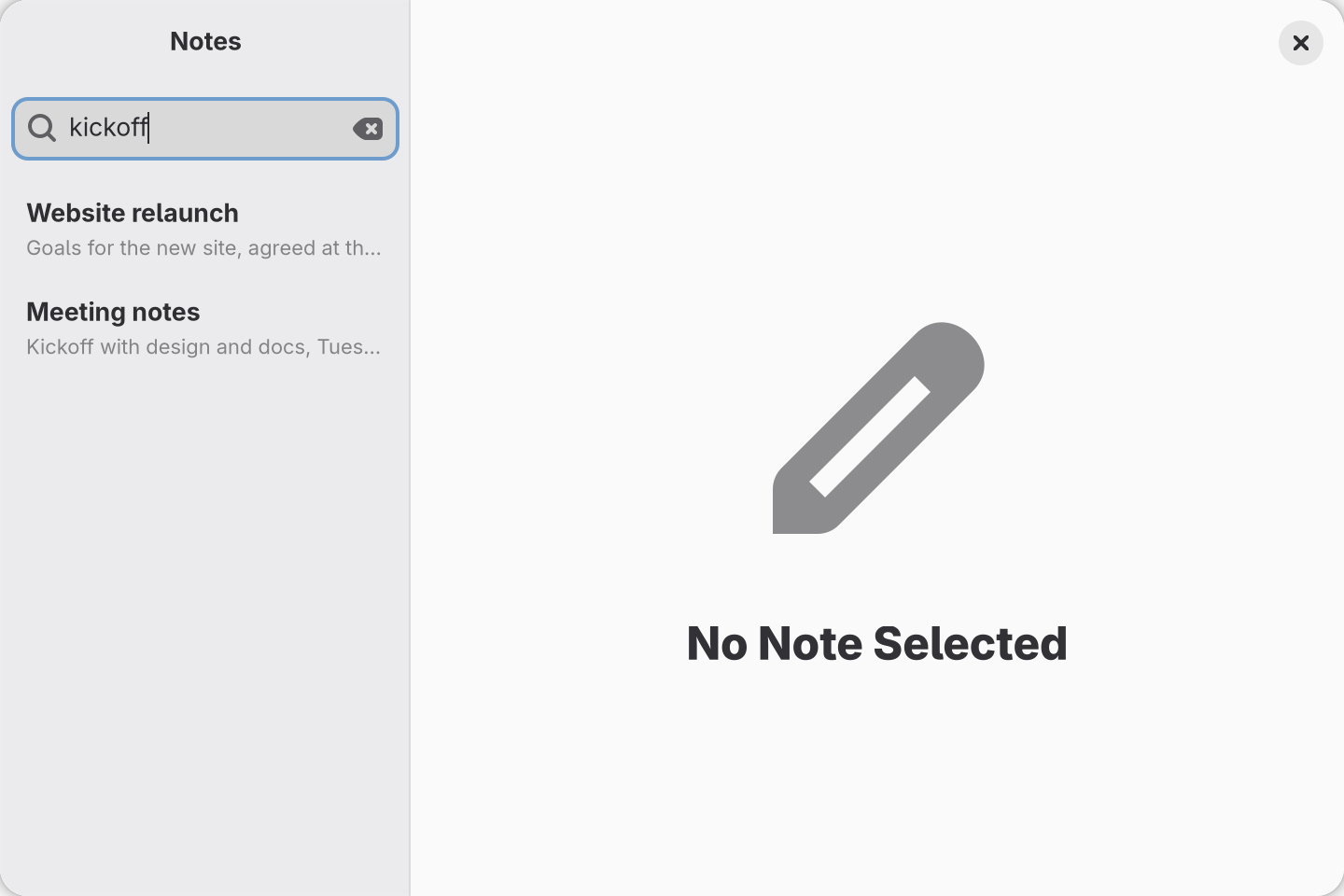
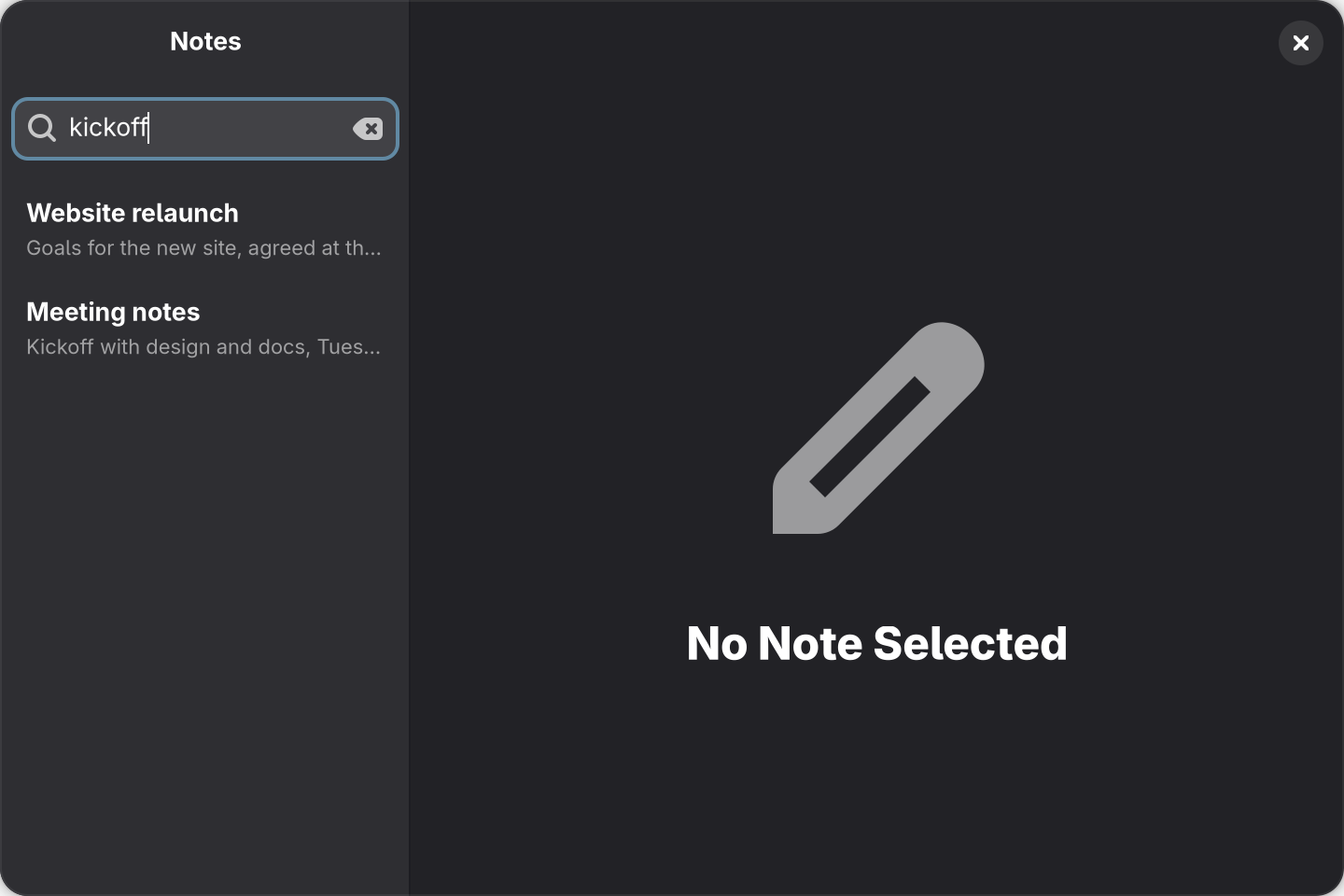
src/components/notes-screen.tsx above, after typing kickoff in the search entry.